Features
Every Tool Serves One Purpose: The Relationship with Your Client.
Your work is more than the sum of its charts, appointments and files.
It’s a relationship that unfolds over months and years. Every part of AstrologersDirect is designed to support it: before the session, during it, and in everything that happens between.
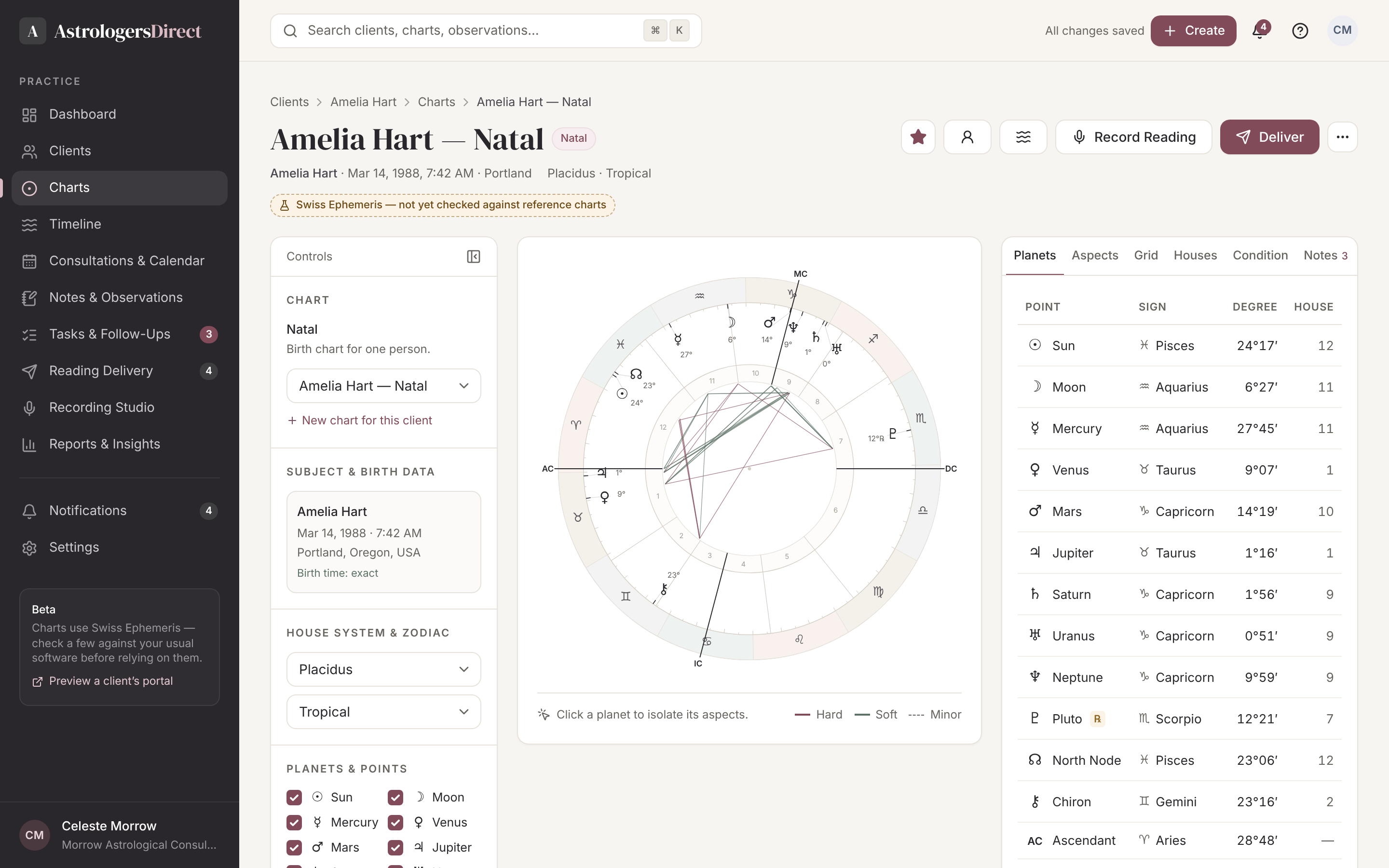
Professional Chart Workspace
The Chart Is Where the Work Begins. Not Where It Ends.
A chart holds the astronomical facts. Your experience gives them meaning.
Work with natal charts, synastry, midpoint composites, transits, secondary progressions, solar arcs, solar returns, horary, electional charts and astrocartography in a workspace built for serious analysis. Every chart stays connected to the person it describes and the observations it inspired.
Your techniques. Your settings. Your interpretation.
- Natal, synastry, composite, transits, progressions, solar arcs, solar returns and horary
- Astrocartography: planetary lines on a world map, and the lines near any city
- Electional search: the best times in a date range, ranked by traditional rules and the client’s chart
- Calculated with Swiss Ephemeris
- Synastry aspect grid and house overlays in both directions
- Convergence timeline: transits, progressions, solar arcs and eclipses to the natal chart over any period
- Seven house systems; tropical or sidereal zodiac
- Choose your points, aspects and orbs
- Placements, aspects, houses, rulers and planetary condition
Client Management
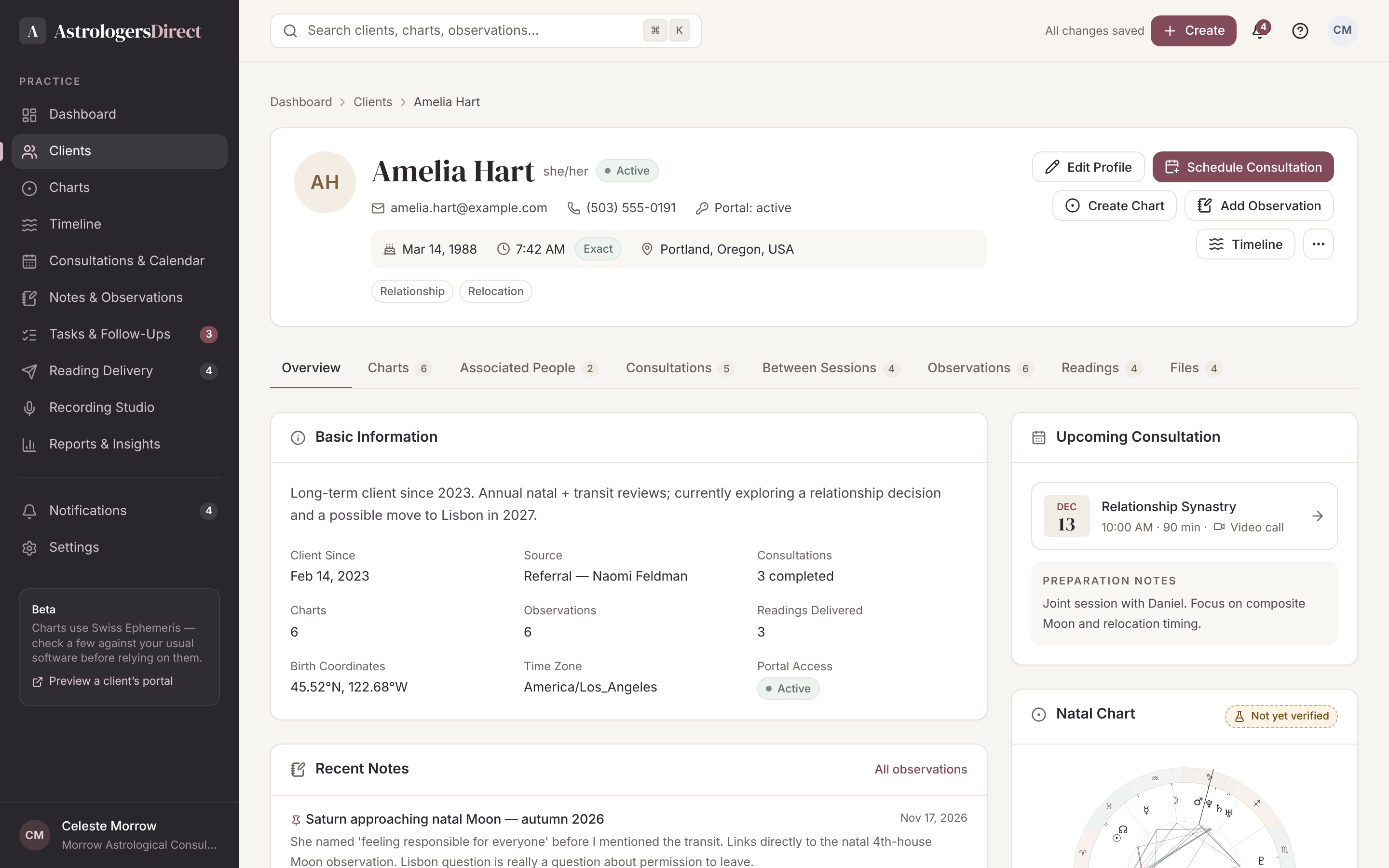
Know the Person, Not Just Their Birth Data.
A client is more than a name and a chart. They have a history, relationships, questions and experiences that shape every consultation.
Keep their charts, associated people, appointments, notes and delivered readings in one record.
When they return, you already know where you left off.
- One record per client, with partners and family as associated people
- Birth-time accuracy recorded with the data
- Import your existing client list from a spreadsheet
- Status, tags and search
- Portal access for each client
- Export all of your practice data at any time
Notes & Observations
Your Experience Should Become More Valuable with Time.
Think of every interpretation you’ve made. Every pattern you’ve noticed. Every time a client came back with something that deepened your understanding of a configuration.
Those observations are valuable. Save them directly to the natal, relationship or timing chart they belong to. Tag them by planet, aspect, house and theme. Find them again across your whole practice.
What you learn today should strengthen what you understand tomorrow.
- Autosave with full version history
- Tags for planets, aspects, houses and themes
- Search and filter across every client
- Natal, relationship and timing observations kept separate
- Go from any observation to its chart or client
- Private to you, never shown to clients
Intelligent AssistanceComing Soon
Artificial Intelligence Should Support Your Intelligence.
An astrologer’s value isn’t simply knowing what a configuration means. It’s knowing what matters, recognizing context, and exercising judgment.
We’re building an assistant that retrieves your past observations, organizes chart information and points out connections worth exploring. Calculated facts, your own notes and generated suggestions will always be clearly labeled.
The assistant helps you find and organize. You decide what it means.
- Retrieves your own observations in context
- Facts, your notes and suggestions always labeled
- You decide what is kept
- Not part of the beta yet: we’re building it with beta practitioners
Consultations & Calendar
Every Conversation Is Part of a Larger Story.
A consultation doesn’t exist in isolation. It builds on what came before, and it creates questions, goals and work for the future.
Keep each appointment connected to its charts, preparation notes, session notes and follow-up tasks.
Spend less time preparing your systems, and more time preparing for your clients.
- Your own booking page: clients choose a session and a time, and their record, natal chart and appointment are created for you
- Preparation and session notes on every appointment
- Follow-up tasks created from the session
- Reminder emails to clients, if you want them
- Month, week and day views
- A private feed for Google, Apple or Outlook calendars
- Every past consultation in the client’s history
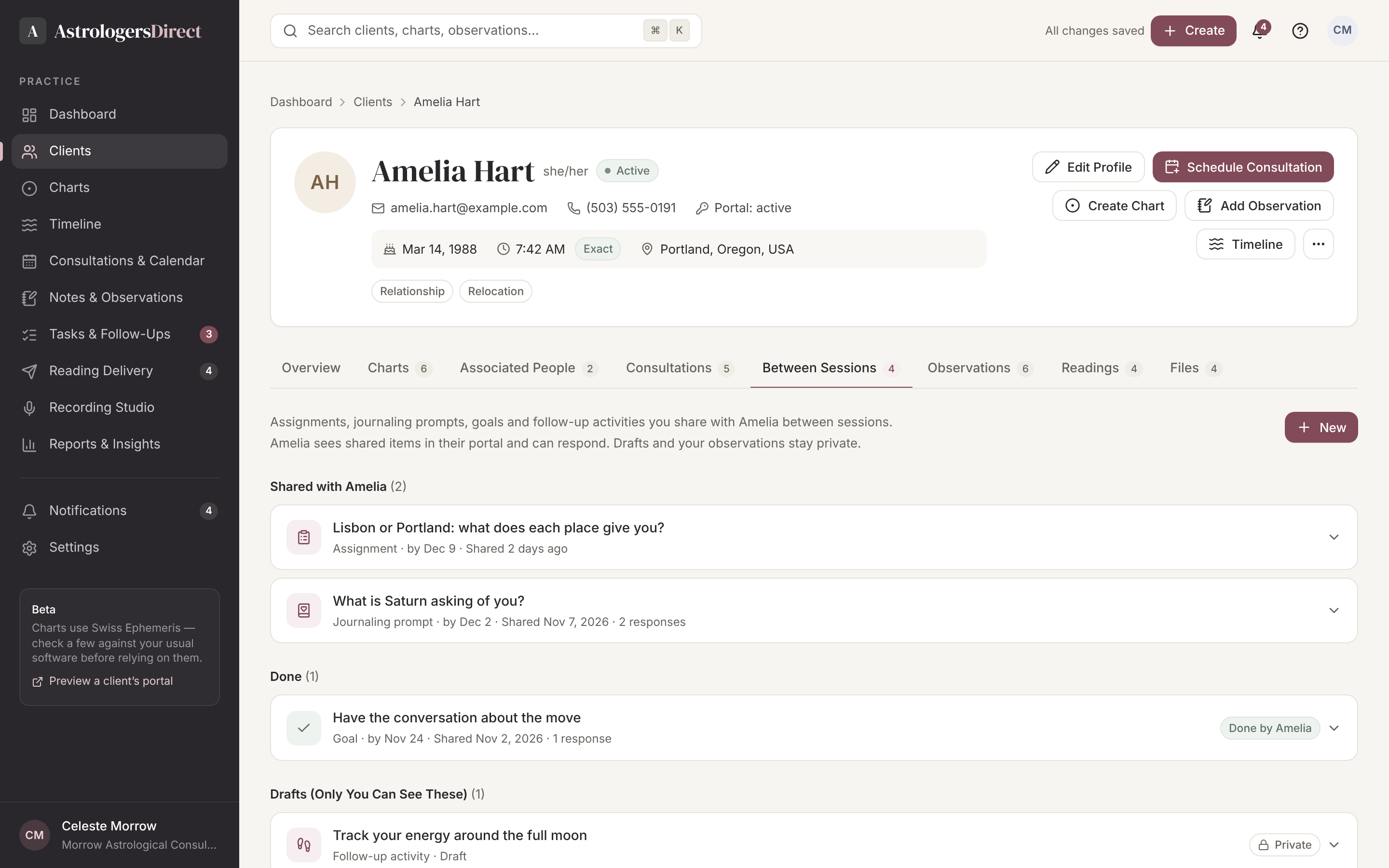
Between Sessions
The Work Continues After the Session Ends.
Clients reflect, make decisions and live through the patterns you discussed. The most valuable insight often arrives between consultations.
Share an assignment, a journaling prompt, a goal or a follow-up activity. Your client sees it in their portal, writes their responses, and marks it done. You see everything on their record, ready for the next session.
Every client can feel remembered, understood and supported, even between appointments.
- Assignments, journaling prompts, goals and follow-up activities
- Clients respond and mark work done in their portal
- You’re notified when they respond
- Save drafts privately; share when you’re ready
- Link work to the consultation it came from
- Responses are encrypted and only visible to you and your client
Recording Studio
Share Your Interpretation, Your Way.
Some insights are best written down. Others come alive when a client can hear your voice, or watch you work through their chart.
Record audio, your webcam or your screen as you walk through the chart, right in the browser. Then save it to the client’s record, or deliver it.
- Audio, webcam, screen, or screen and webcam
- Navigate the chart while you record
- Review, rename, save or deliver
- Choose your microphone and camera
- Live microphone level
- Planned: transcription and captions
Reading Delivery
The Experience Should Reflect the Quality of Your Work.
The care you put into a reading shouldn’t end when the file is finished.
Deliver written reports, audio, video or links through a private, professional experience. Add a personal message, decide whether it can be downloaded, and set when access ends.
Give clients one reliable place to return to the work you’ve shared.
- PDF, audio, video or a link
- Personal message, download permission and expiry
- Client notified by email
- Draft, ready and delivered queues
- See when a reading has been opened
- Files stored privately and served only to that client
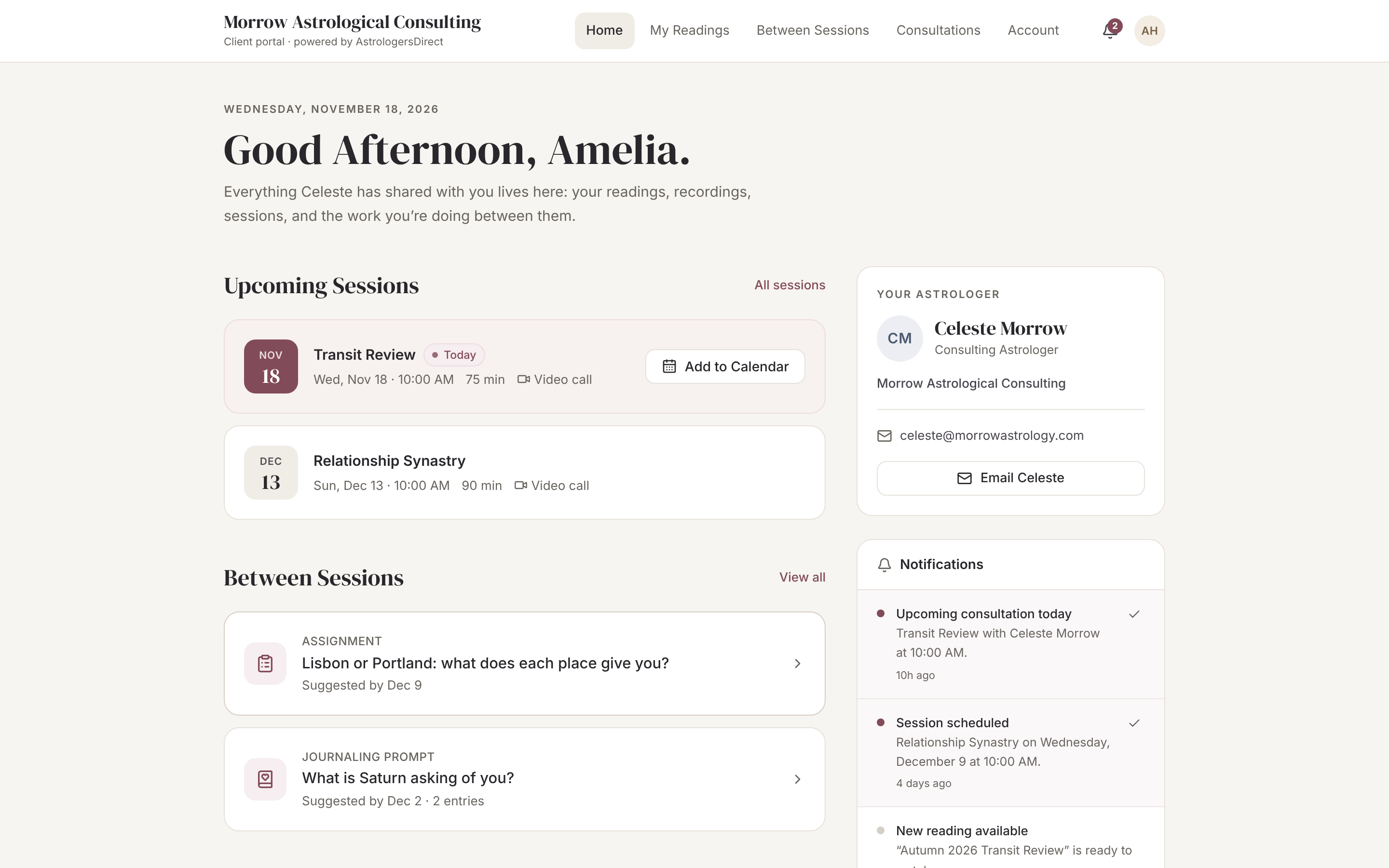
Client Portal
A Professional Experience for the People Who Trust You.
Your clients shouldn’t have to search their inbox for the reading you sent six months ago.
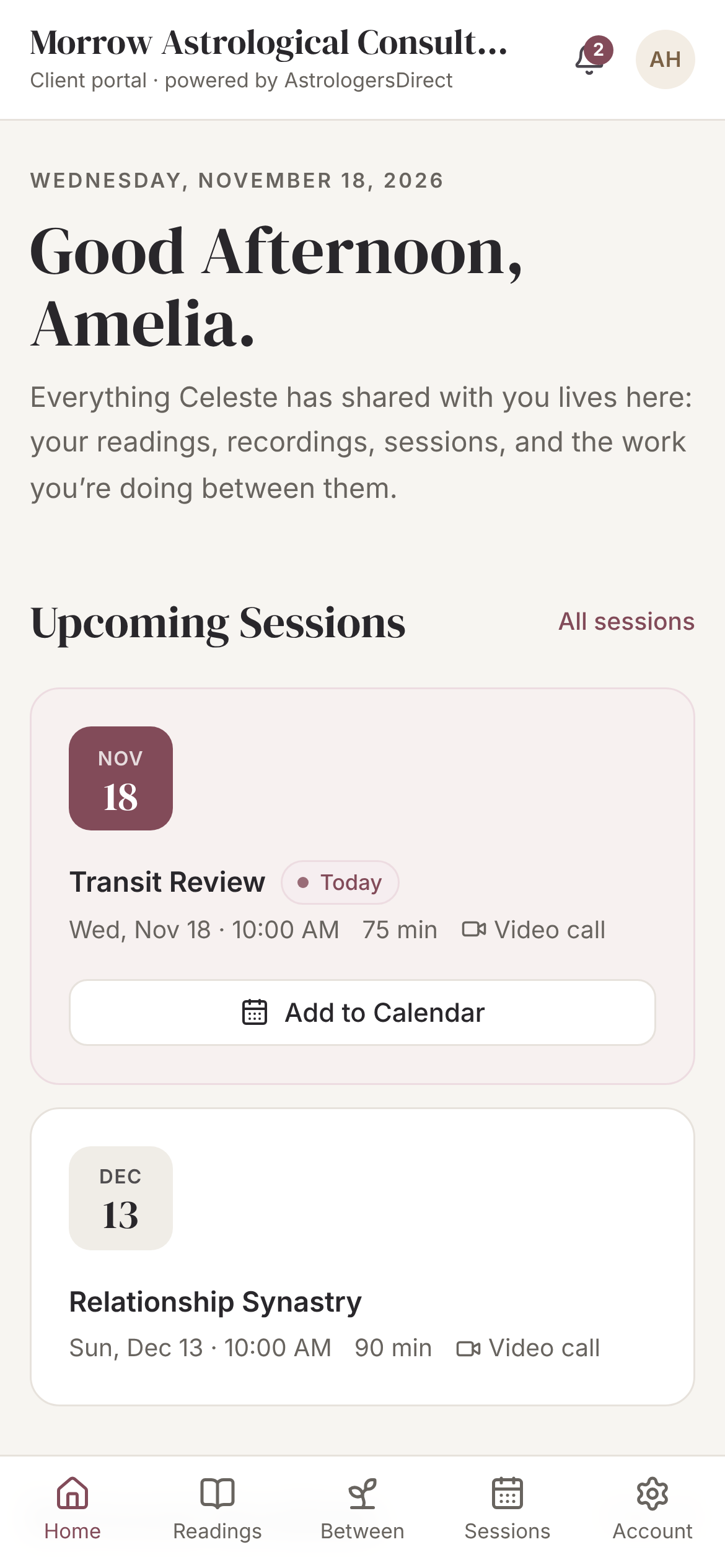
Give them a private, mobile-friendly place for their readings, recordings and consultation history.
Your professional notes stay private. Their materials stay easy to find.
- Your practice’s name and color on every page
- Audio, video and documents play in the browser
- Your private notes never appear
- Reading library filtered by type
- Consultation history with shared materials
- Free for your clients
Your Practice. Connected.
Your Practice Works Better When Everything Works Together.
Each feature solves a problem. Together, they change how your practice works.
Free during the beta.